Educational guide only. I am not a SEBI registered analyst. This page explains payment safety, not a guaranteed refund or recovery service.
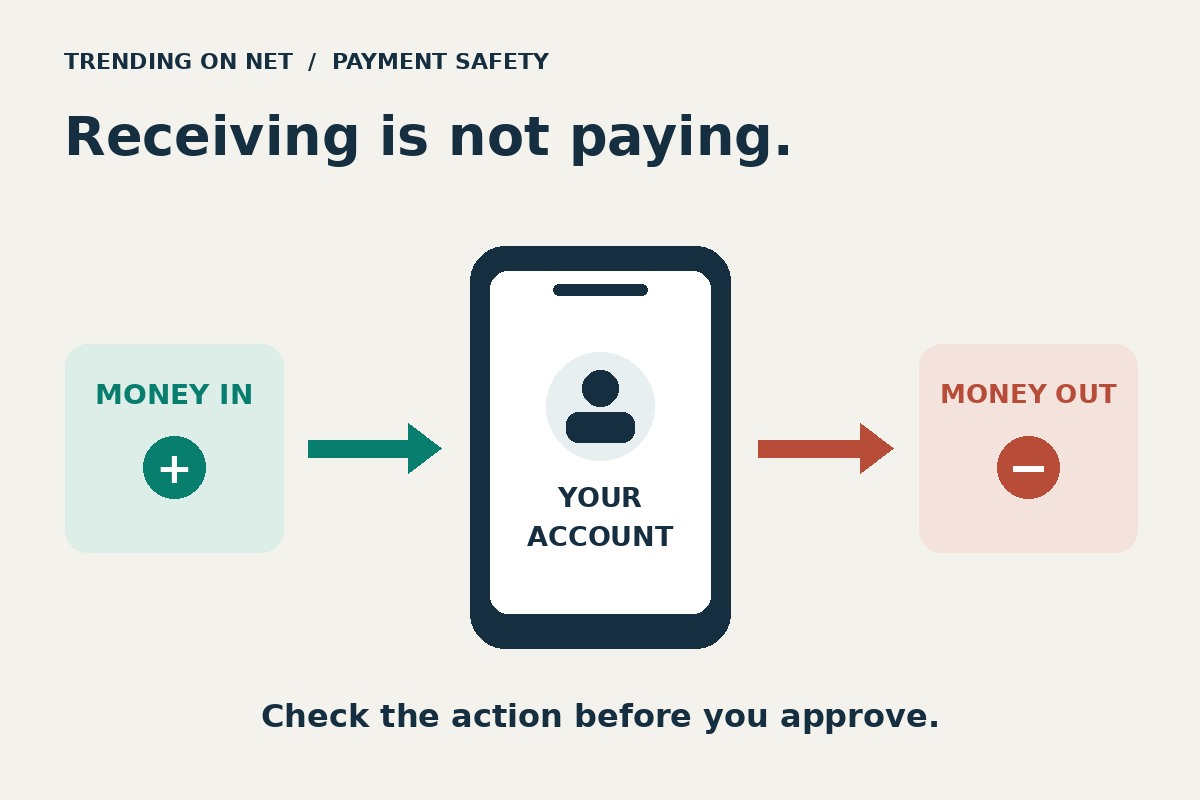
You do not need to enter your UPI PIN to receive a credit. If someone says a refund, sale payment or reward will arrive only after you scan their QR code and authorise a payment, stop. The action on your screen matters more than the explanation on the call.
NPCI’s fraud-awareness guidance warns that scanning a QR code and entering a UPI PIN is for making payments, not receiving money. A request dressed up as a refund does not change the direction in which an authorised payment moves.
A refund claim is not a credit confirmation
Suppose you have returned a purchase and a caller offers to speed up the refund. The caller sends a QR code, stays on the phone and asks you to approve the amount. Before touching any payment control, ask: is the app showing money coming to my account, or asking me to send money somewhere?
Do not authorise a debit to release an incoming credit. Open the merchant’s official app or website yourself and check the order and refund status. If support is needed, use contact details from that official service, not a number supplied by the unexpected caller.
A screenshot supplied by the other person is not your bank’s confirmation. Check your own payment history and account records for the actual credit, amount and transaction reference. If the expected credit is missing or the status is unclear, contact the bank or service through its official channel. Do not keep sending small test payments to make a refund work.
A PIN prompt alone does not tell the whole story
The receipt rule should not become a different, misleading rule that every PIN screen must be a fraudulent debit. Some legitimate non-payment actions can also ask for a PIN. For example, Google Pay’s instructions for checking an overdraft-account balance explicitly include entering a UPI PIN.
That is an example of a balance enquiry you start yourself, not a requirement to accept an incoming payment. Read what you opened and what the screen is asking you to do. Never tell a caller your PIN or let them watch it through screen sharing. If an unexpected request leaves you unsure whether you are paying, checking a balance or setting up an authorisation, leave it and verify through official support.
This is not a guide to every UPI feature. Payment methods and app screens differ, and older tutorials may describe request flows that are no longer available in the same form. Do not rely on the presence or absence of one familiar button as proof that a transaction is safe.
Three situations, three safer decisions
A buyer promises to pay for something you are selling. They ask you to scan their QR code and approve an amount to receive the sale proceeds. Do not approve an outgoing payment on that explanation. Confirm the credit in your own records instead of treating the buyer’s screenshot as settlement.
You check a balance from inside your own payment app. A PIN prompt during a supported balance enquiry is not evidence, by itself, that you are sending money. Check that you initiated that enquiry. It still does not mean a stranger needs your PIN to send you money.
A caller offers to return an earlier loss. They ask for a fresh payment, remote-access app or screen-sharing session first. Stop the interaction and contact your bank through its official channel. Do not make another payment just because the explanation includes the word recovery.
These are hypothetical teaching examples, not accounts of particular customers or promises about how a dispute will end.
If you suspect financial cyberfraud
- Stop further approvals and contact your bank promptly. Explain what happened and ask what immediate protective steps apply to your account. Use the bank’s official app, website or established support route.
- Report promptly on India’s official channels. The government’s CFCFRMS FAQ lists the financial cyberfraud helpline 1930 and the National Cybercrime Reporting Portal. Its reporting guidance (PDF) says callers who receive an acknowledgement should complete the formal portal complaint within 24 hours using that acknowledgement.
- Keep the evidence private. Preserve transaction references, times, amounts and the relevant messages for the bank and reporting authorities. Do not post unredacted financial records, PINs or one-time codes in a public comment thread.
Reporting does not guarantee reversal or recovery. A missing merchant refund, an unclear transaction status and a suspected fraud can require different support routes; describe the actual event rather than accepting a caller’s label for it.
The useful rule: verify the action and the money direction. Receiving a credit does not require you to authorise a debit or disclose your UPI PIN.
AI disclosure: This original guide and illustration were created with AI assistance and source-checked on 22 November 2026. No reader’s account was accessed or changed. App features and support procedures can change.
Read news in English and Hindi with the free Wolf News app.
FOLLOW WOLF OF INDIA, FREE EVERYWHERE
WEBSITES
Wolf of Dalal Street: https://wolfofdalalstreet.com
Stockmarket360: https://stockmarket360.in
BizTechIndia: https://biztechindia.com
Jobat360: https://jobat360.com
Trending on Net: https://trendingonnet.com
Blog + daily digest: https://wolfofdalalstreetofficial.blogspot.com and https://wolfofindia.blogspot.com
APP
Free news app: https://wolfnews.surge.sh (turn on notifications)
YOUTUBE
Wolf of Dalal Street: https://www.youtube.com/@WOLFOFINDIA360
CHANNELS (free updates by message, our newsletter)
WhatsApp channel: https://whatsapp.com/channel/0029VaswZ107YSdBnLu1FY3g
Telegram (Wolf of India): https://t.me/WOLFOFINDIA
Telegram (Wolf of Dalal Street): https://t.me/wolfofdalalstreetofficial
Telegram (Stockmarket360): https://t.me/stockmarket360official
Telegram (BizTechIndia): https://t.me/biztechindia
Telegram (Trending Online): https://t.me/Trendingonlineofficial
WhatsApp Business (join, message preferred): https://wa.me/919619991645
PROFILES
LinkedIn: https://www.linkedin.com/company/wolfofdalalstreet/
Instagram: https://www.instagram.com/wolfofindiaofficial
Facebook: https://facebook.com/wolfofdalalstreetofficial
X: https://x.com/Wolf_India360
Reddit community: https://www.reddit.com/r/WOLFOFDALALSTREETJOIN/
Quora Space: https://wolfofdalalstreet.quora.com
Diigo: https://www.diigo.com/user/wolfdalalstreet
RSS FEEDS
https://wolfofdalalstreet.com/feed/ | https://stockmarket360.in/feed/ | https://biztechindia.com/feed/ | https://jobat360.com/feed/ | https://trendingonnet.com/feed/ | https://wolfofdalalstreetofficial.blogspot.com/feeds/posts/default
Market and business education only. Not investment advice. No tips, no targets.