Educational guide only. I am not a SEBI registered analyst. This page explains provider controls; it does not cancel a plan or promise a refund.
An app can disappear from your phone while its subscription remains active. Removing software from a device and asking a billing provider to stop renewal are different actions. Google Play explicitly says that uninstalling an app does not cancel its subscription. Apple describes a separate subscription-cancellation process.
The useful starting point is the receipt and the account that paid, not whether an icon is still on your home screen.
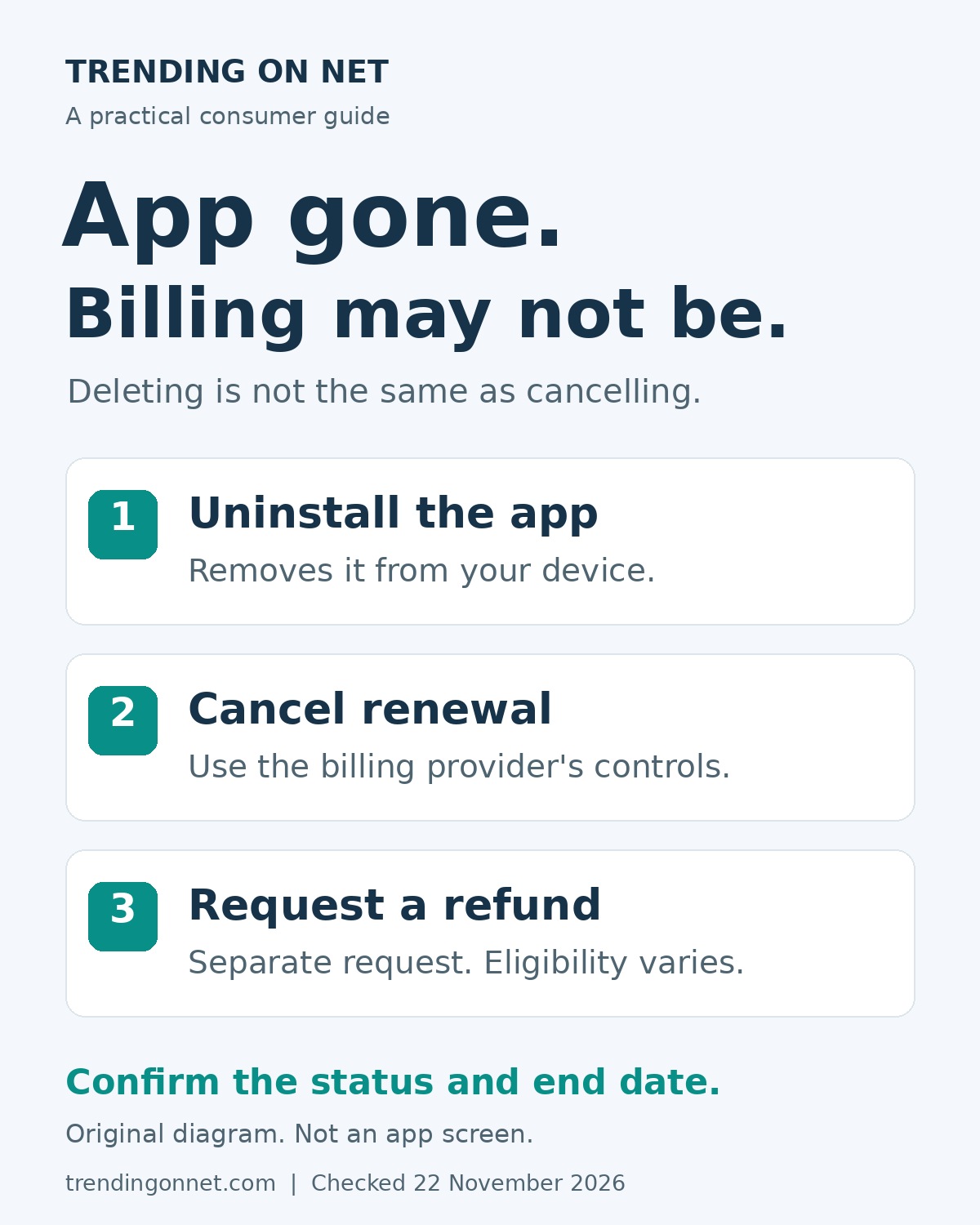
Three actions that should not be confused
- Uninstalling an app removes the app from that device. Its disappearance is not evidence that a separate billing arrangement has ended.
- Cancelling renewal is a request made through the company or store that manages the subscription. Read the result and the stated end date.
- Requesting a refund asks for money back for a purchase or charge. Eligibility and the outcome are separate questions.
A cancellation confirmation should not be treated as a promise to reverse an earlier charge. Likewise, a refund request is not a substitute for checking whether the subscription will renew.
First identify who bills you
Find the purchase receipt or the relevant charge in your own records. Was the plan bought through Google Play, billed by Apple, bought directly on a service’s website, or supplied through a carrier or another provider? The app’s brand and the billing company are not necessarily the same.
Also check the purchasing account. Google’s troubleshooting guidance notes that the email used inside an app may differ from the Google Account that holds its subscription. Apple advises checking which Apple Account appears on the receipt. An empty subscription list in the wrong account does not establish that no subscription exists.
If the purchase belongs to a family member, follow the provider’s account and family rules rather than exchanging passwords. Apple says the family member whose account appears on the receipt must cancel their own subscription.
For a subscription managed by Google Play
Google’s current Android instructions are:
- Open the subscriptions view in Google Play on your Android device, using the Google Account that holds the plan.
- Select the subscription you want to cancel.
- Tap Cancel subscription.
- Follow the instructions and check the resulting subscription status.
On a computer, Google describes opening subscriptions in Google Play, choosing Manage for the plan, then Cancel subscription and completing the confirmation prompts. Do not stop merely because the app has been removed.
Use Google’s current cancellation help if labels or screens differ. Its instructions and the plan’s own terms matter more than an old screenshot.
For a subscription billed by Apple
Apple’s current iPhone instructions give this route:
- Open Settings and tap your name.
- Tap Subscriptions.
- Tap the subscription.
- Tap Cancel Subscription, scrolling down if needed.
Apple says that if there is no Cancel button, or an expiration message appears in red text, the subscription is already cancelled. That guidance applies to the subscription you have actually opened. Failing to find a plan at all is a different problem.
If you cannot find an Apple receipt, Apple advises checking your bank or card statement to identify the company billing you and contacting that company to cancel. Subscriptions supplied through a wireless carrier or another provider need that provider’s support. Do not assume that Apple can cancel every service used on an iPhone.
Three hypothetical situations
1. The app is deleted, but the plan is still active
A reader uninstalls a fitness app and later finds the plan still listed as active in the purchasing Google Account. Deleting the app was not a cancellation instruction. The next step is to use the billing provider’s subscription controls and read the confirmation, not repeatedly uninstall the app.
2. Renewal is cancelled, but access still works
A reader has a cancellation confirmation and can still use a paid feature. That alone does not prove cancellation failed. Google’s cancellation guide gives an example in which access continues for the period already purchased. Check the actual plan’s end date and conditions instead of using access as the only test.
3. The plan was bought on a website
A reader paid a service directly, then installed its iPhone app. Not finding that purchase in Apple’s subscription list does not prove that the direct plan has stopped. The receipt identifies the billing route to investigate. These are invented examples, not cases taken from anyone’s private account.
Trials and prepaid plans need their own checks
Not every paid plan renews in the same way. Google says its prepaid plans last for a limited period and expire automatically. First establish whether the plan is prepaid or recurring.
For an Apple trial that you do not want to renew, Apple’s published guidance advises cancelling at least 24 hours before the trial ends. That is Apple guidance, not a universal deadline for every provider. Check the offer’s conditions and what cancellation means for access. Apple also notes that cancellation arrangements differ in some countries and regions.
Cancellation and a refund are separate
If a charge has already happened, read the provider’s refund process separately. Apple says some purchases may be eligible for a refund and provides a separate refund-request flow. It also states that eligibility can vary by country or region. A request is not an approval, and approval is not the same as money already returned.
Google’s cancellation guidance also describes refund exceptions rather than promising a refund for every cancellation. Do not assume that deleting an app, cancelling renewal or no longer using the service automatically returns a past payment.
A short confirmation checklist
- Have you identified the correct billing provider and purchasing account?
- Does the confirmation name the plan you intended to cancel?
- What status and end date does the provider show?
- Have you read any conditions and distinguished an earlier charge from a future renewal?
- Have you kept the confirmation for your own records?
If you cannot complete the process, use the provider’s official app or website to contact support. Do not share a password, card security code or one-time verification code with an unsolicited caller offering cancellation help.
The simple rule: the app icon tells you what is on a device. The billing provider’s confirmation tells you what happened to the subscription.
AI disclosure: This original consumer guide and diagram were created with AI assistance and source-checked on 22 November 2026. No reader’s account was accessed or changed. Provider controls and terms can change.
Read news in English and Hindi with the free Wolf News app.
FOLLOW WOLF OF INDIA, FREE EVERYWHERE
WEBSITES
Wolf of Dalal Street: https://wolfofdalalstreet.com
Stockmarket360: https://stockmarket360.in
BizTechIndia: https://biztechindia.com
Jobat360: https://jobat360.com
Trending on Net: https://trendingonnet.com
Blog + daily digest: https://wolfofdalalstreetofficial.blogspot.com and https://wolfofindia.blogspot.com
APP
Free news app: https://wolfnews.surge.sh (turn on notifications)
YOUTUBE
Wolf of Dalal Street: https://www.youtube.com/@WOLFOFINDIA360
CHANNELS (free updates by message, our newsletter)
WhatsApp channel: https://whatsapp.com/channel/0029VaswZ107YSdBnLu1FY3g
Telegram (Wolf of India): https://t.me/WOLFOFINDIA
Telegram (Wolf of Dalal Street): https://t.me/wolfofdalalstreetofficial
Telegram (Stockmarket360): https://t.me/stockmarket360official
Telegram (BizTechIndia): https://t.me/biztechindia
Telegram (Trending Online): https://t.me/Trendingonlineofficial
WhatsApp Business (join, message preferred): https://wa.me/919619991645
PROFILES
LinkedIn: https://www.linkedin.com/company/wolfofdalalstreet/
Instagram: https://www.instagram.com/wolfofindiaofficial
Facebook: https://facebook.com/wolfofdalalstreetofficial
X: https://x.com/Wolf_India360
Reddit community: https://www.reddit.com/r/WOLFOFDALALSTREETJOIN/
Quora Space: https://wolfofdalalstreet.quora.com
Diigo: https://www.diigo.com/user/wolfdalalstreet
RSS FEEDS
https://wolfofdalalstreet.com/feed/ | https://stockmarket360.in/feed/ | https://biztechindia.com/feed/ | https://jobat360.com/feed/ | https://trendingonnet.com/feed/ | https://wolfofdalalstreetofficial.blogspot.com/feeds/posts/default
Market and business education only. Not investment advice. No tips, no targets.